Mission Brief
What this lecture will achieve
Understand publishing
Students understand the difference between saving files locally and publishing a live website.
Use GitHub workflow
Students learn the basic commit, push and GitHub Pages publishing flow.
Check before sharing
Students test links, images, mobile view and content before sharing the website publicly.
Core Message
Your website becomes real when it has a public link
Publishing Concept
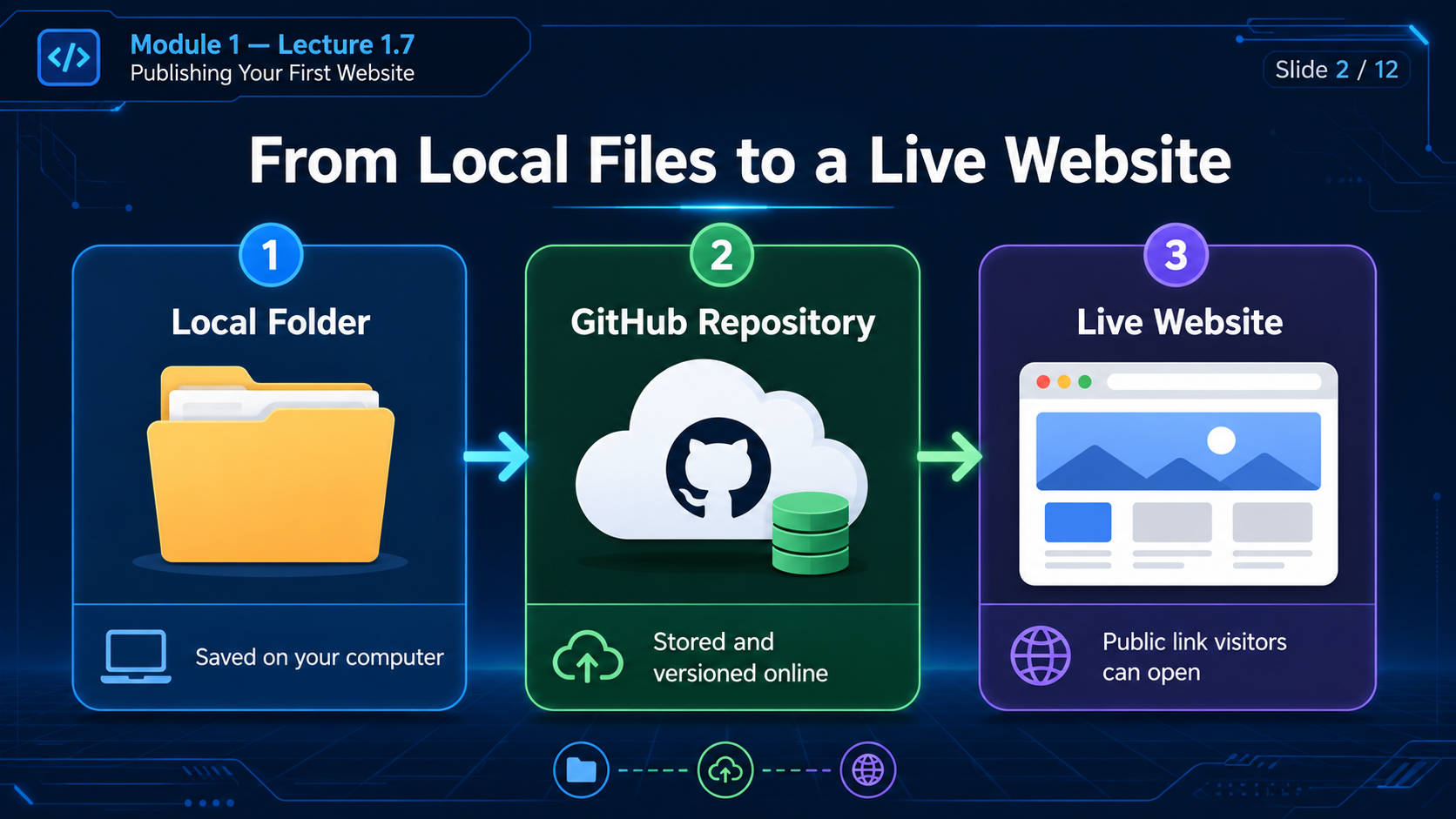
From local files to live website
| Stage | Where it lives | Who can access it | Purpose |
|---|---|---|---|
| Local folder | Your computer | Only you | Create and edit website files. |
| GitHub repository | GitHub online storage | You and collaborators | Store, version and manage website files. |
| Live website | GitHub Pages or hosting platform | Public visitors | Share the website with the world. |
Publishing Workflow
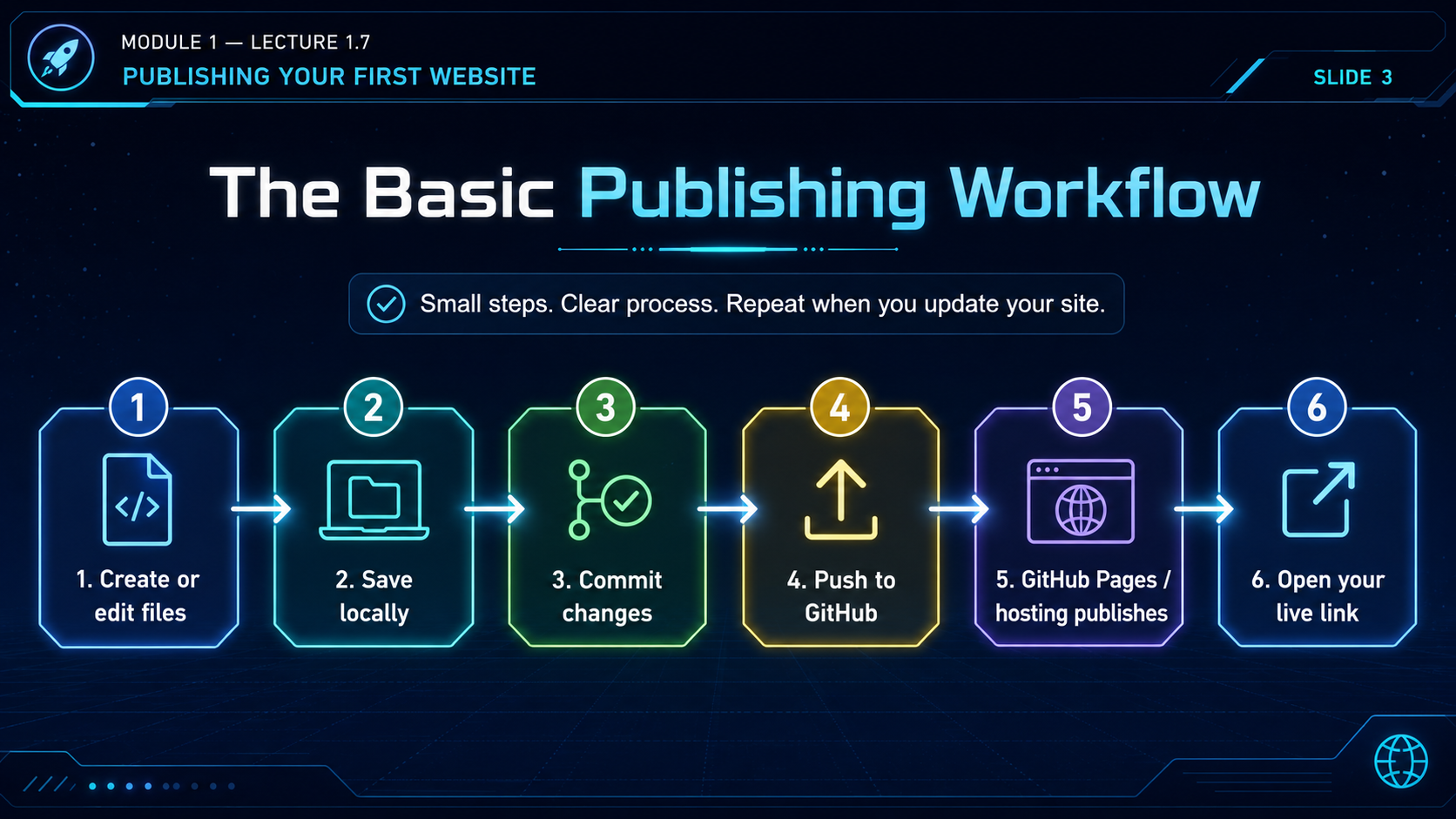
The beginner process
Create or edit files
Edit your website files in VS Code.
Save locally
Save your changes inside the correct project folder.
Commit changes
Create a clear Git commit describing what changed.
Push to GitHub
Upload your commit to the online GitHub repository.
GitHub Pages publishes
GitHub Pages or your hosting platform serves the website.
Open live link
Test the public link in your browser.
Quality Check
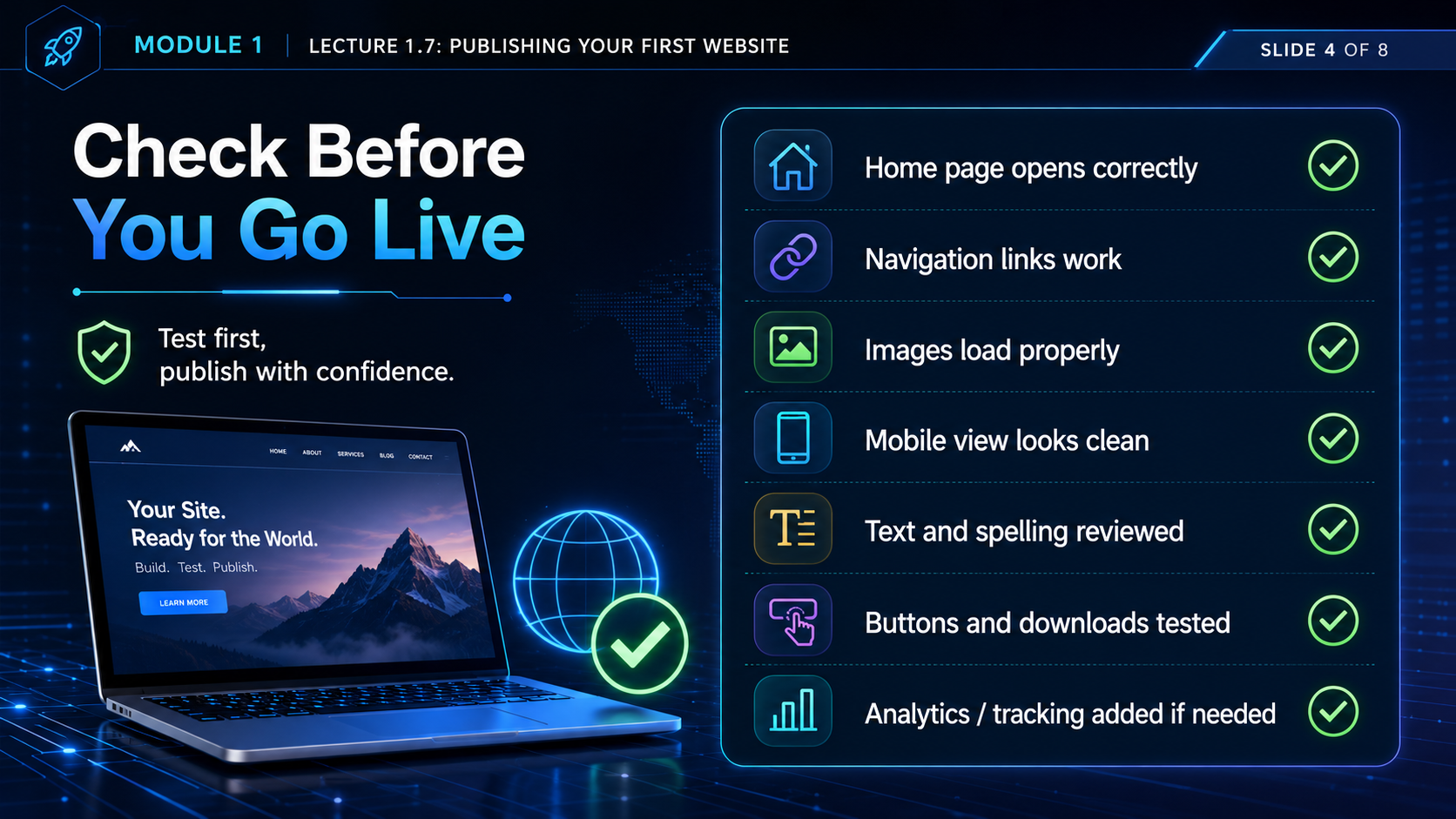
Before you share your link
Homepage opens
Confirm your main page opens correctly in the browser.
Navigation works
Click every menu item and internal link.
Images load
Check that images appear and paths are correct.
Mobile view looks clean
Use browser responsive mode or phone testing.
Text reviewed
Check spelling, titles and simple wording.
Buttons tested
Test buttons, downloads and contact links.
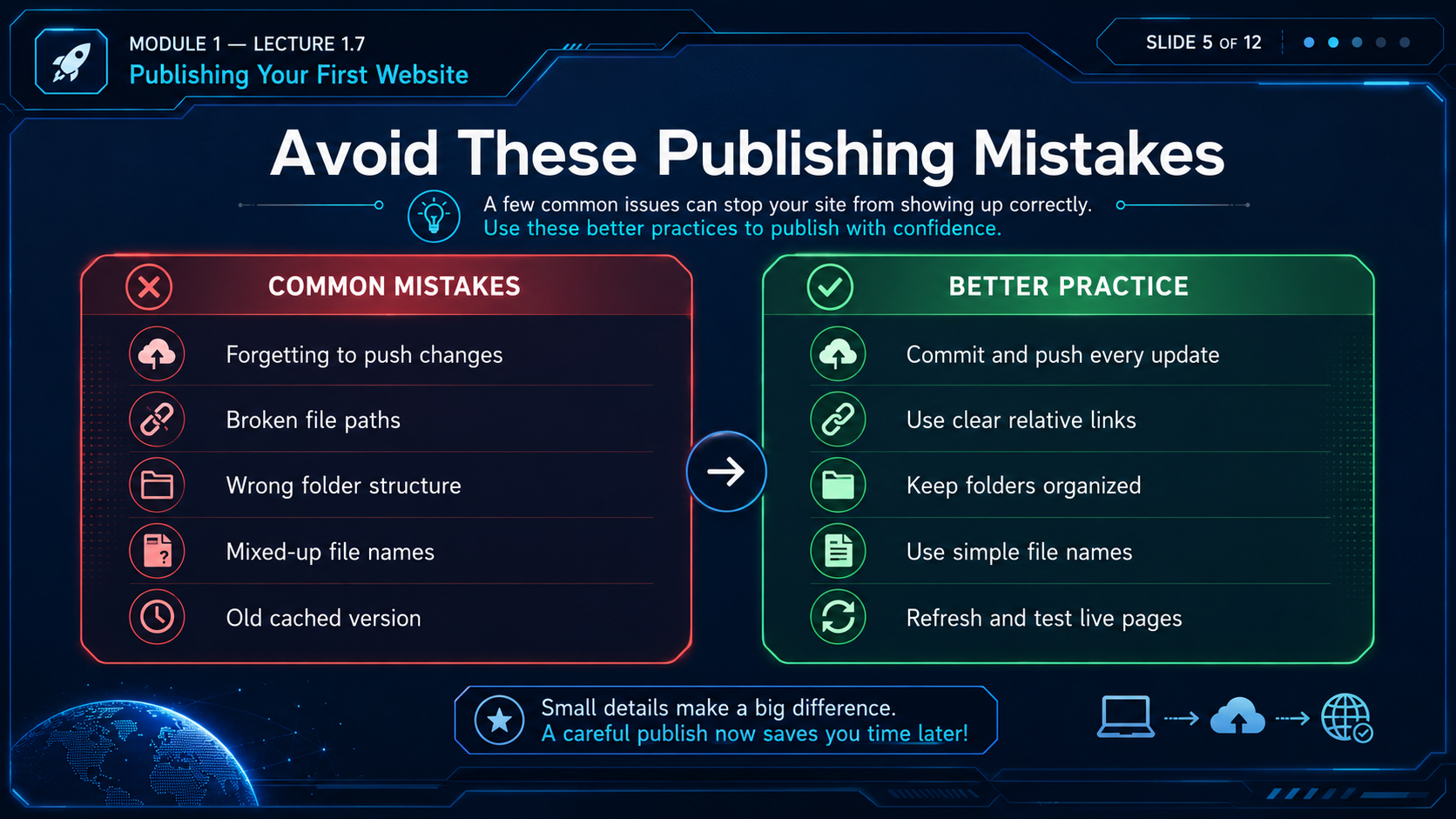
Common Mistakes
Avoid these publishing problems
Common mistakes
- Forgetting to push changes.
- Using broken file paths.
- Publishing from the wrong folder.
- Using mixed-up file names.
- Sharing an old cached page.
Better practice
- Commit and push every update.
- Use clear relative links.
- Keep folders organized.
- Use simple lowercase file names.
- Refresh and test live pages.
Lecture 1.7 Prompt Lab
Publishing Prompt Library
Students should use these prompts to understand publishing, check their work and solve beginner problems safely.
Explain website publishing to me like I am a complete beginner. Show the difference between local files, GitHub repository, GitHub Pages, and a public website link.
Create a beginner checklist for publishing my first website. Include saving files, checking links, committing changes, pushing to GitHub, enabling GitHub Pages, opening the live link, and testing mobile view.
Act as a beginner Git teacher. Explain these commands for publishing a website: git status, git add ., git commit -m, git pull --rebase origin main, and git push origin main.
My published website shows a 404 error. Ask me for non-sensitive details such as file names, folder path, GitHub Pages settings, and public URL. Then guide me step by step to fix the issue.
My website images are not showing after publishing. Explain how to check image file names, folder paths, relative links, capital letters, spaces in names, and whether the images were pushed to GitHub.
Act as my website quality reviewer. Create a final checklist before I share my public website link. Include homepage, navigation, images, mobile view, spelling, buttons, downloads, speed, and copyright notice.
Practice Task
Publish your first website
Task 1
Create or confirm a simple website folder containing index.html and one CSS file.
Task 2
Push your website files to a GitHub repository.
Task 3
Open your public website link and test homepage, links, images and mobile view.
Final Checklist
Lecture 1.7 complete
- I understand what publishing means.
- I know the difference between local folder, GitHub repository and live website.
- I understand the save, commit, push and publish workflow.
- I know how to check the public website before sharing.
- I know common publishing mistakes and how to avoid them.
- I have used at least two prompts from the Prompt Lab.
Copyright Notice
FutureWorld Intelligence materials
© 2026 FutureWorld Intelligence. All modules, lectures, prompts, visuals, graphics, downloadable files and instructional designs are protected intellectual property. Students may use this material for personal learning and may share official links. Copying, re-uploading, selling, modifying, packaging, distributing or presenting this material as someone else’s work is not allowed without written permission.
Read Full Copyright NoticeEvidence and maintenance record
Source basis and lineage
The publishing workflow is maintained against GitHub's official Pages quickstart and publishing-source documentation.
Scope note: GitHub interfaces and plan rules may change. Review repository visibility, remove secrets and test the site before sharing it publicly.
Sources and lineage reviewed 16 July 2026.