
Mission Brief
What this lecture will achieve
Understand AI
Students understand AI as a helper, not as magic.
Use AI responsibly
Students know that AI answers must be reviewed, verified and improved.
Write better prompts
Students learn the basic prompt formula for practical results.
Core Message
AI helps when your task is clear
Simple Explanation
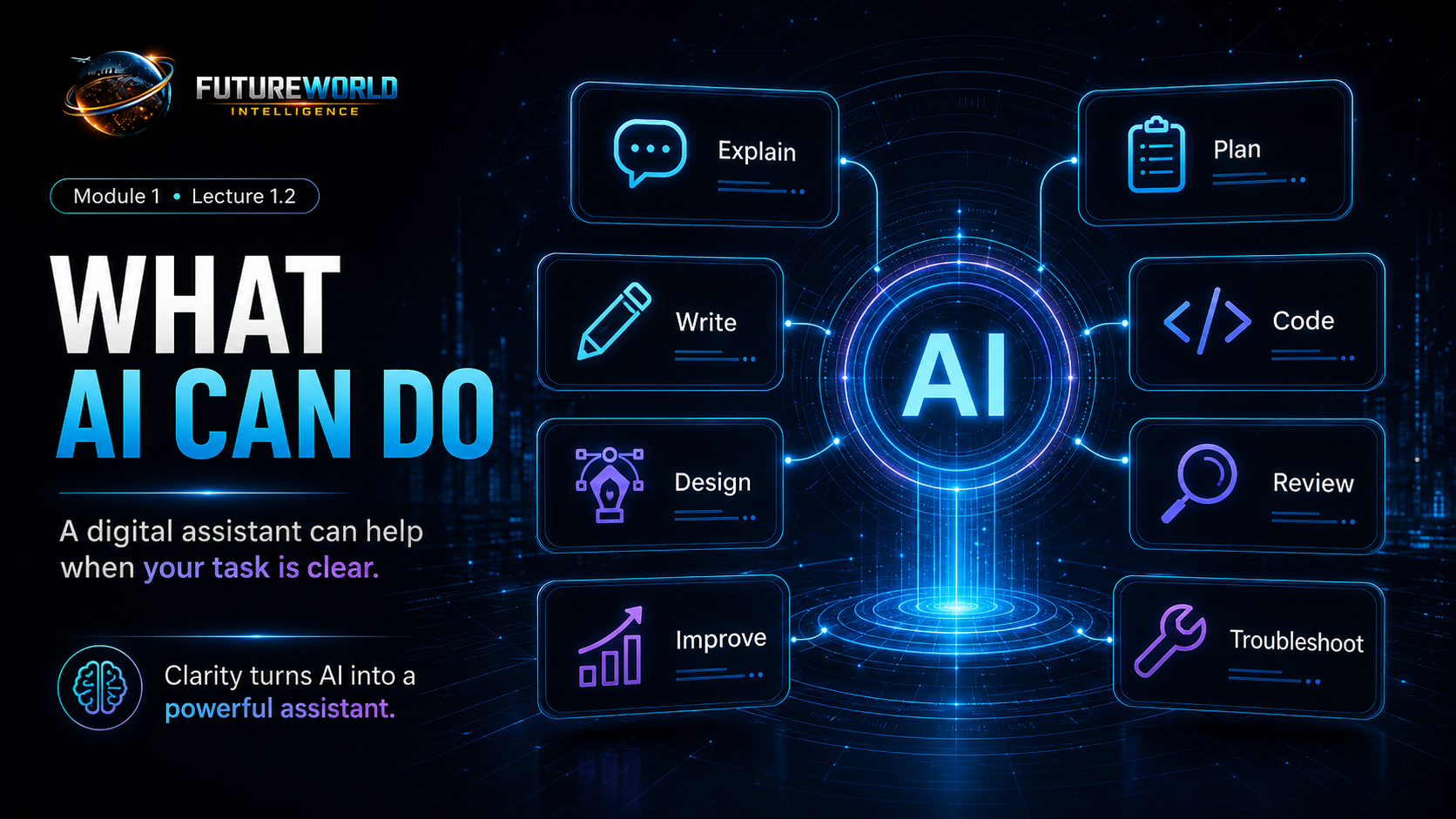
What AI can do for beginners
Explain
AI can explain difficult ideas in simple language.
Plan
AI can turn a big goal into small steps.
Write
AI can draft content, reports, captions and website text.
Code
AI can help create and explain HTML, CSS and beginner scripts.
Improve
AI can review your draft and suggest better versions.
Troubleshoot
AI can help you understand errors and fix problems step by step.
Responsible AI Use
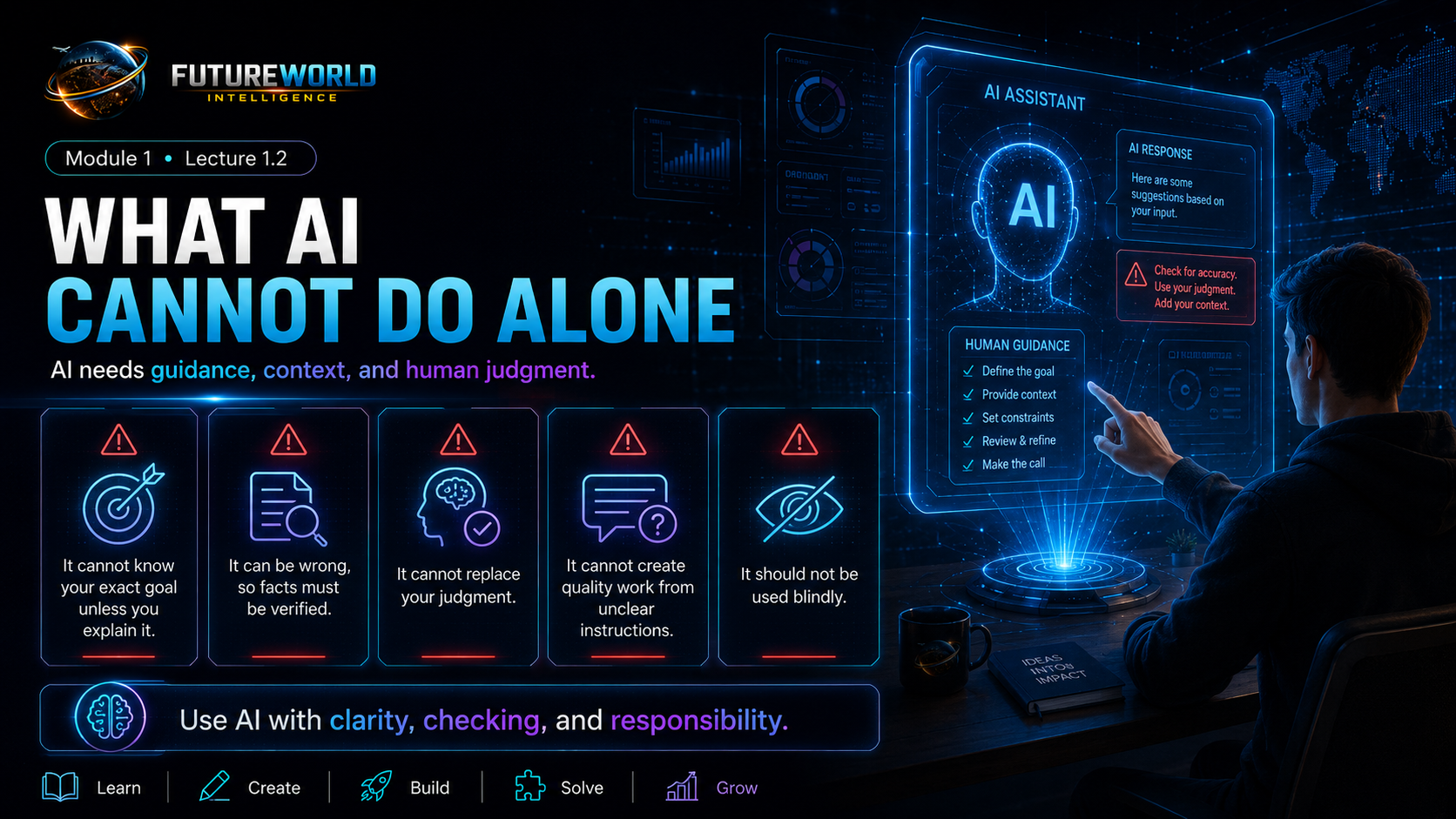
What AI cannot do alone
It cannot know your exact goal
You must explain what you want to build and why.
It can be wrong
Important facts, claims, links and instructions should be checked.
It cannot replace judgment
You decide what is useful, correct, respectful and appropriate.
It needs context
A vague prompt usually creates a weak answer.
It should not be used blindly
AI is a support system, not a final authority.
It improves with feedback
Ask AI to revise, simplify, explain, correct and improve.
Working Model
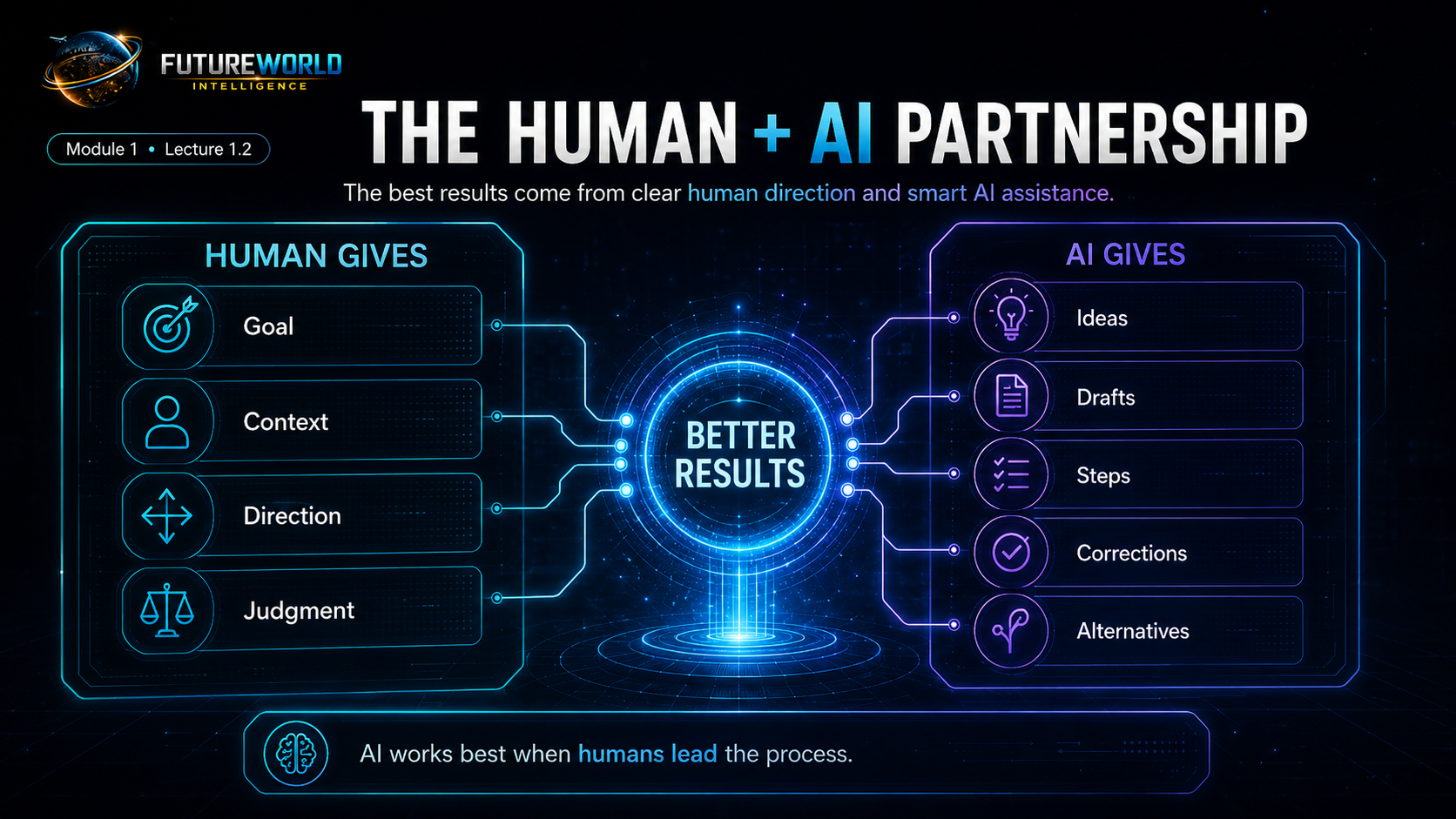
The Human + AI Partnership
Human gives
- Goal
- Context
- Direction
- Judgment
AI gives
- Ideas
- Drafts
- Steps
- Corrections
- Alternatives
Prompt Formula
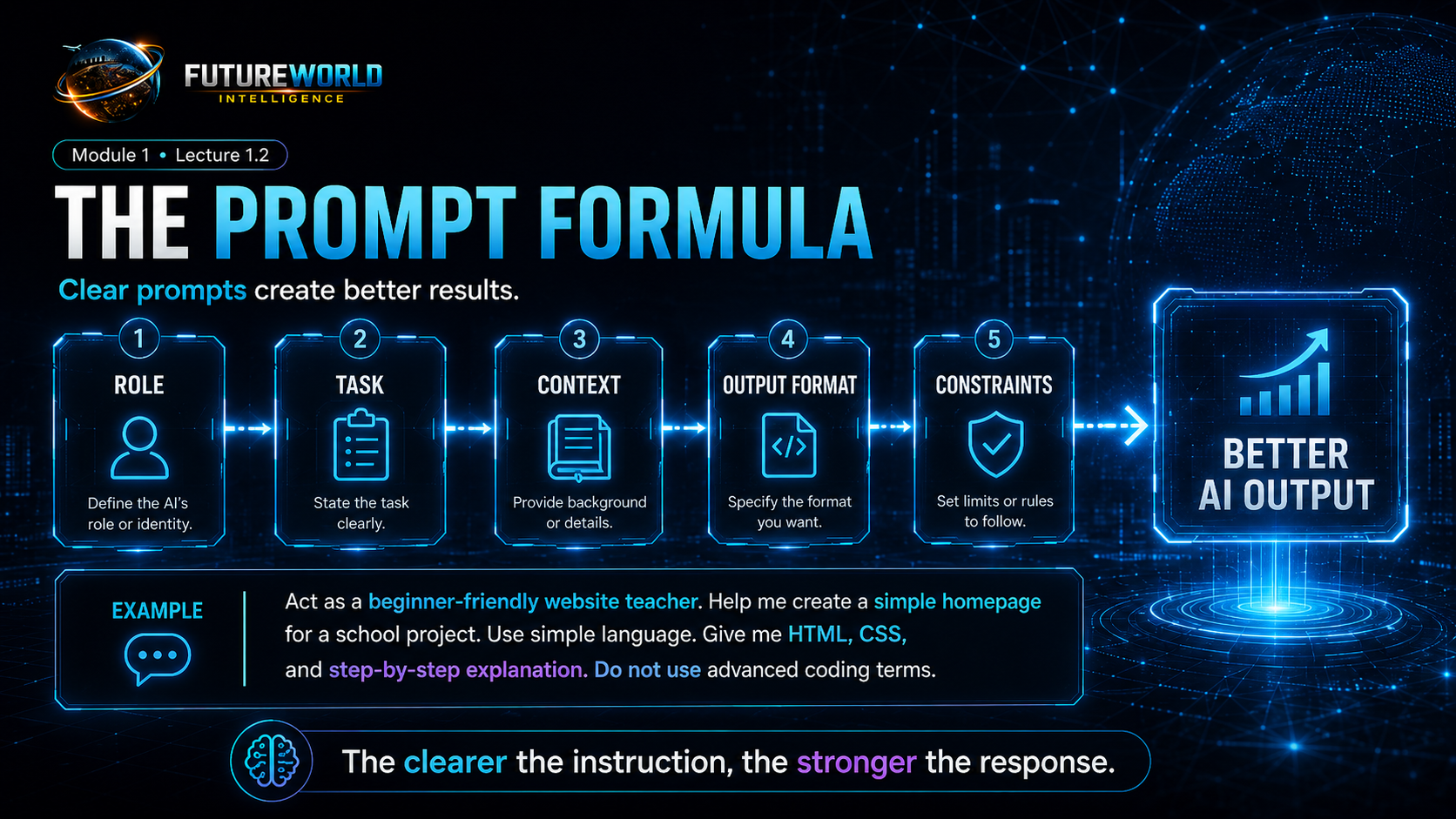
The simple formula for better AI output
| Prompt Part | Meaning | Example |
|---|---|---|
| Role | Tell AI who it should act as. | Act as a beginner-friendly website teacher. |
| Task | Tell AI exactly what to do. | Help me create a simple homepage. |
| Context | Tell AI background information. | This is for a school project about tree plantation. |
| Output format | Tell AI how to present the answer. | Give HTML, CSS and step-by-step explanation. |
| Constraints | Tell AI limits or rules. | Use simple language. Do not use advanced coding terms. |
Practical Comparison
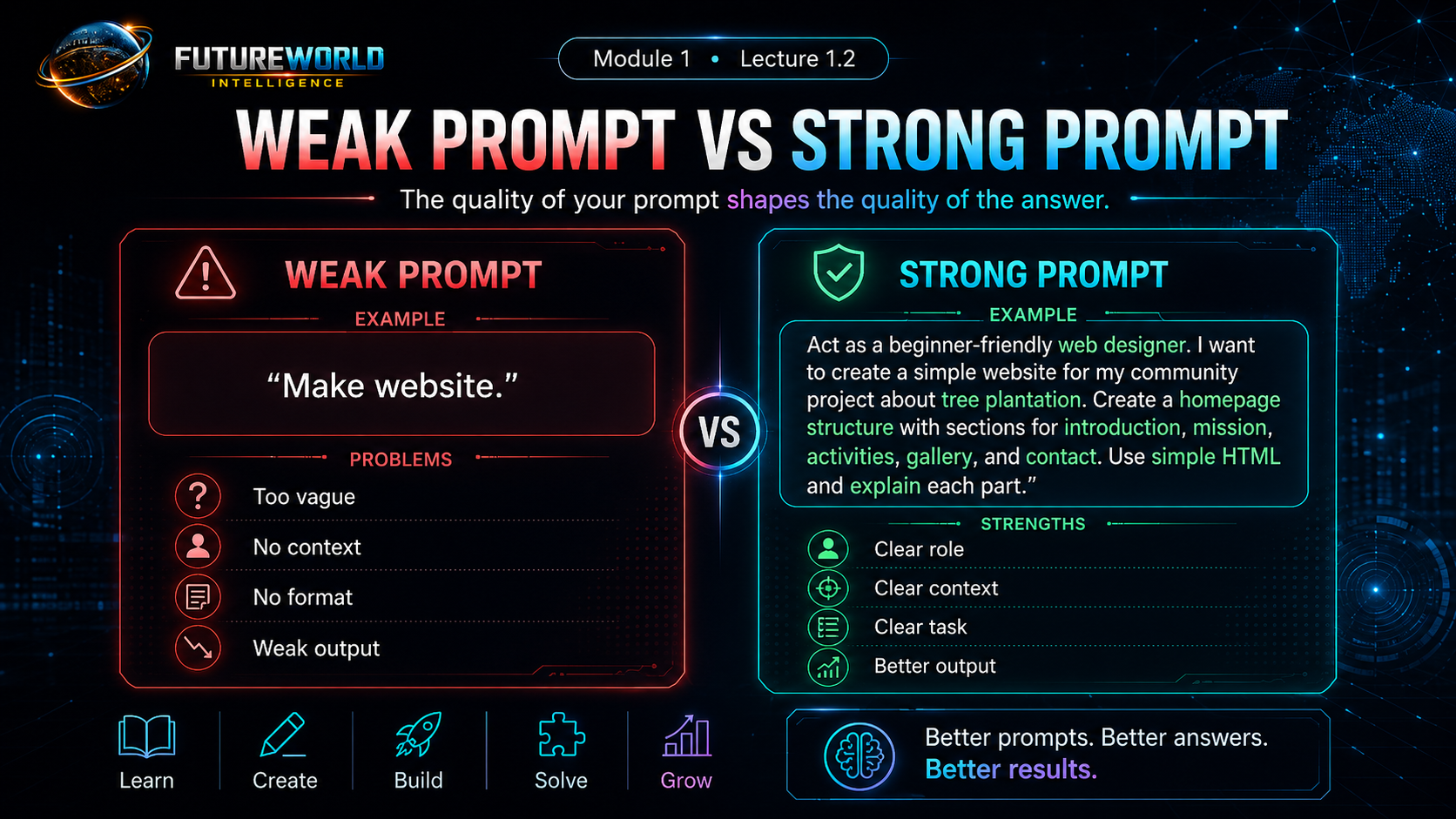
Weak prompt vs strong prompt
Weak prompt
“Make website.”
This is too vague. AI does not know the topic, purpose, audience, format or level.
Strong prompt
“Act as a beginner-friendly web designer. I want to create a simple website for my community project about tree plantation. Create a homepage structure with sections for introduction, mission, activities, gallery and contact. Use simple HTML and explain each part.”
Lecture 1.2 Prompt Lab
Practical AI Prompt Library
Students should copy, customize and use these prompts to understand AI and practice better prompting.
Act as a beginner-friendly AI teacher. Explain what AI can and cannot do for a complete beginner who wants to build websites, create content, and learn digital skills. Use simple examples.
Act as my digital learning assistant. I am a beginner. Ask me questions about my project idea, then guide me step by step on how AI can help me research, plan, write, design, build, and improve my project.
Act as a prompt improvement coach. I will give you a simple prompt. Improve it by adding role, task, context, output format, and constraints. Explain why the improved prompt is better.
Act as a responsible AI guide. Teach me how to verify AI answers, avoid mistakes, check facts, and use AI safely for learning and website building.
Explain [tool name] to me like I am a complete beginner. Tell me what it does, why I need it, when I will use it, and what mistakes beginners should avoid.
Compare [tool A] and [tool B] for a beginner website-building student. Explain the difference in simple language and tell me when to use each one.
Practice Task
Before Lecture 1.3
Task 1
Write one weak prompt such as “make website” or “explain GitHub”.
Task 2
Use Prompt 3 to ask ChatGPT to improve it.
Task 3
Compare the weak and improved prompts in your notebook.
Final Checklist
Lecture 1.2 complete
- I understand that AI is an assistant, not magic.
- I understand that my thinking guides AI.
- I know what AI can and cannot do alone.
- I know the basic prompt formula.
- I can identify a weak prompt and improve it.
- I have used at least two prompts from the Prompt Lab.
Evidence and maintenance record
Source basis and lineage
The lecture's accuracy and privacy cautions are maintained against OpenAI's official guidance.
Scope note: ChatGPT features and interfaces change. Do not submit passwords, secret keys or unnecessary personal data.
Sources and lineage reviewed 16 July 2026.